
Greatlearning
Available courses
CentricARC Sandbox
NOTE: Make sure lab is Started for Key to work
Click on instructions for Quick help on lab accessibility.
Switch to Ubuntu VM and click on "Web desktop" to get into lab atmosphere.

Switching model as per the use case within VS code.

1. Open Router Models > https://openrouter.ai/models
2. OpenRouter provides an OpenAI-compatible completion API to 300+ models & providers that you can call directly, or using the OpenAI SDK. Additionally, some third-party SDKs are available. > EX:https://openrouter.ai/anthropic/claude-haiku-4.5
3. Setup/Working with Coding Agents: https://openrouter.ai/docs/cookbook/coding-agents/claude-desktop-integration
4.Below EX :SDK for Python


MS Github Copilot
Steps to login to Github copilot.
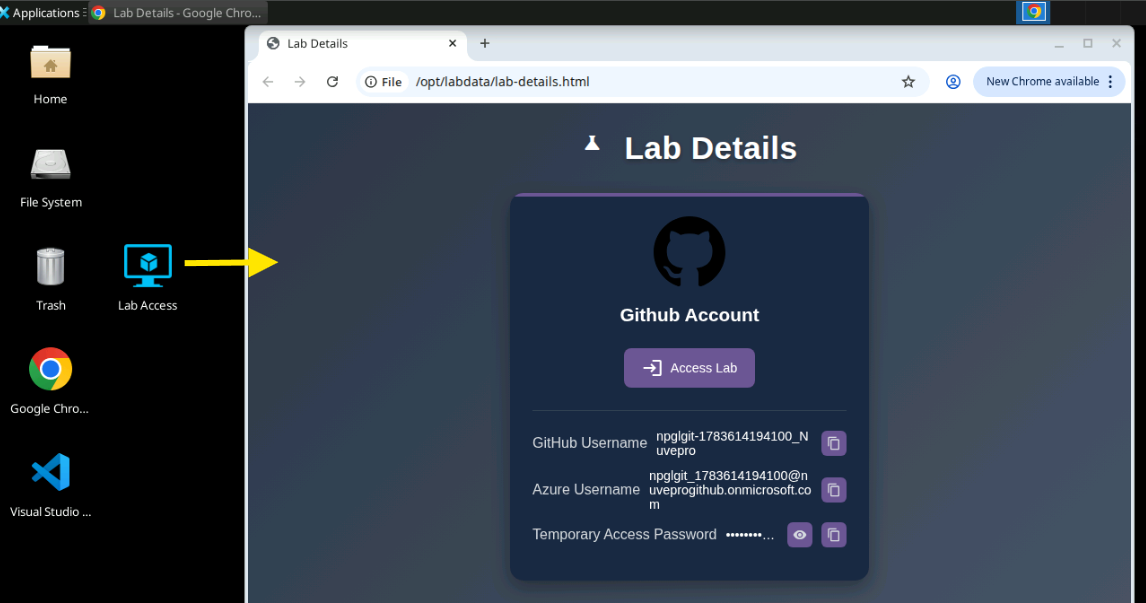
1.Find the Credentials on the desktop under "Lab Details" .
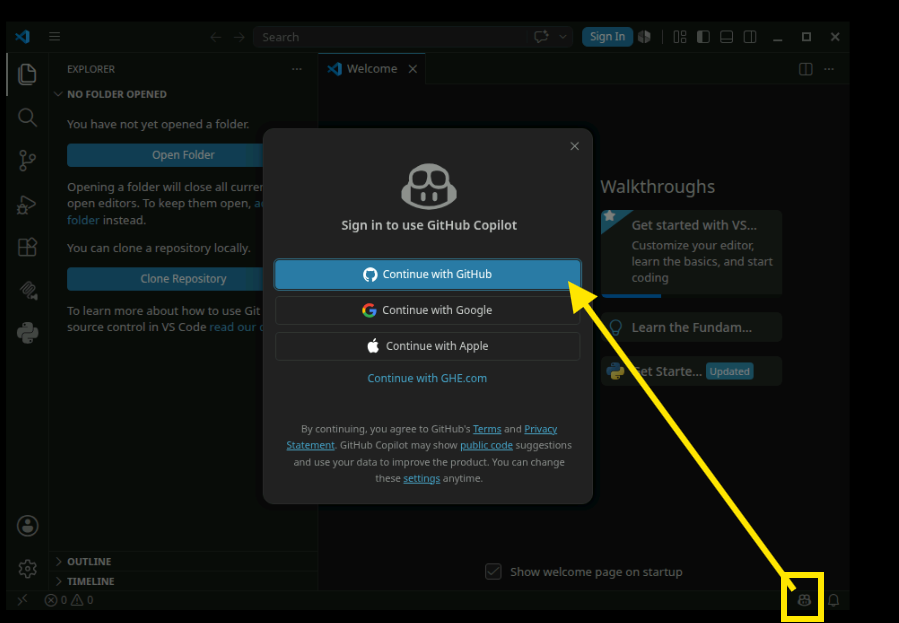
2.In VS code Continue with Github
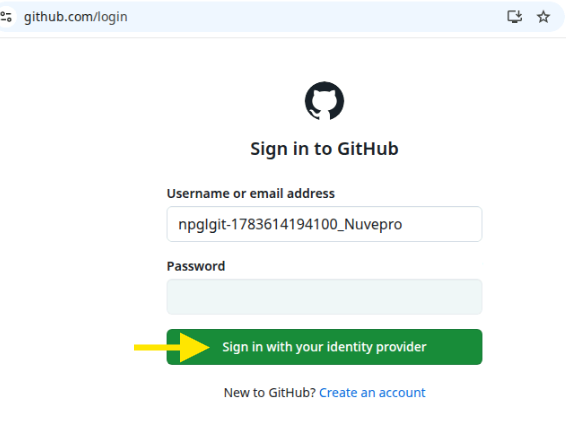
3. Enter "GitHub Username" and click on Sign in without password and continue.
4.Use the Azure username and Password from Lab Details
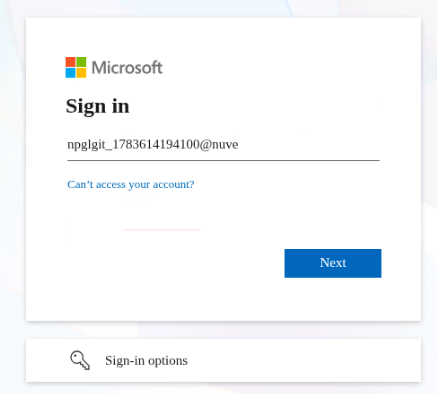
5. Continue
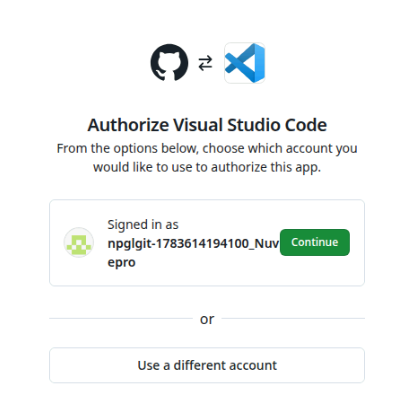
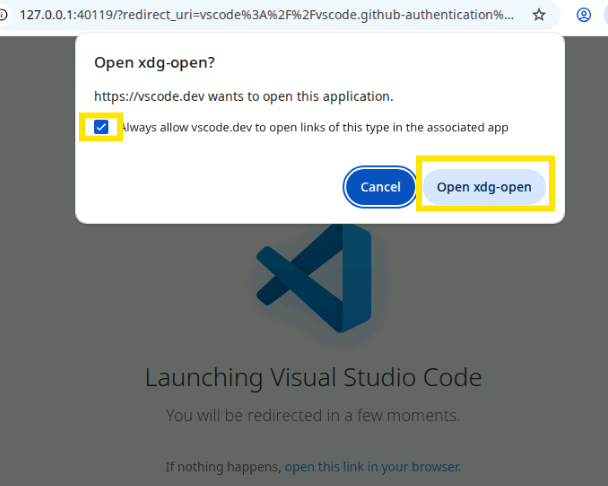
6. Check box and click on Open.

Azure Data Engineering
Allowed Services and Tiers
-
Microsoft.Fabric/capacities → Allowed SKU: F2
-
Microsoft.Synapse/workspaces/sqlPools → Allowed SKU: DW100c
-
Microsoft.Sql/servers/databases → Allowed Tiers: Basic, DataWarehouse
-
Microsoft.Storage/storageAccounts → Allowed SKUs: Standard_LRS, Standard_GRS
-
Microsoft.Databricks/workspaces → Allowed SKU: trial
-
Microsoft.Compute/virtualMachines → Allowed Sizes: Standard_B1s, Standard_B1ms
-
All Resources → Allowed Locations: global, East US, East US2, Canada Central